

KK8 Frequently Asked Questions
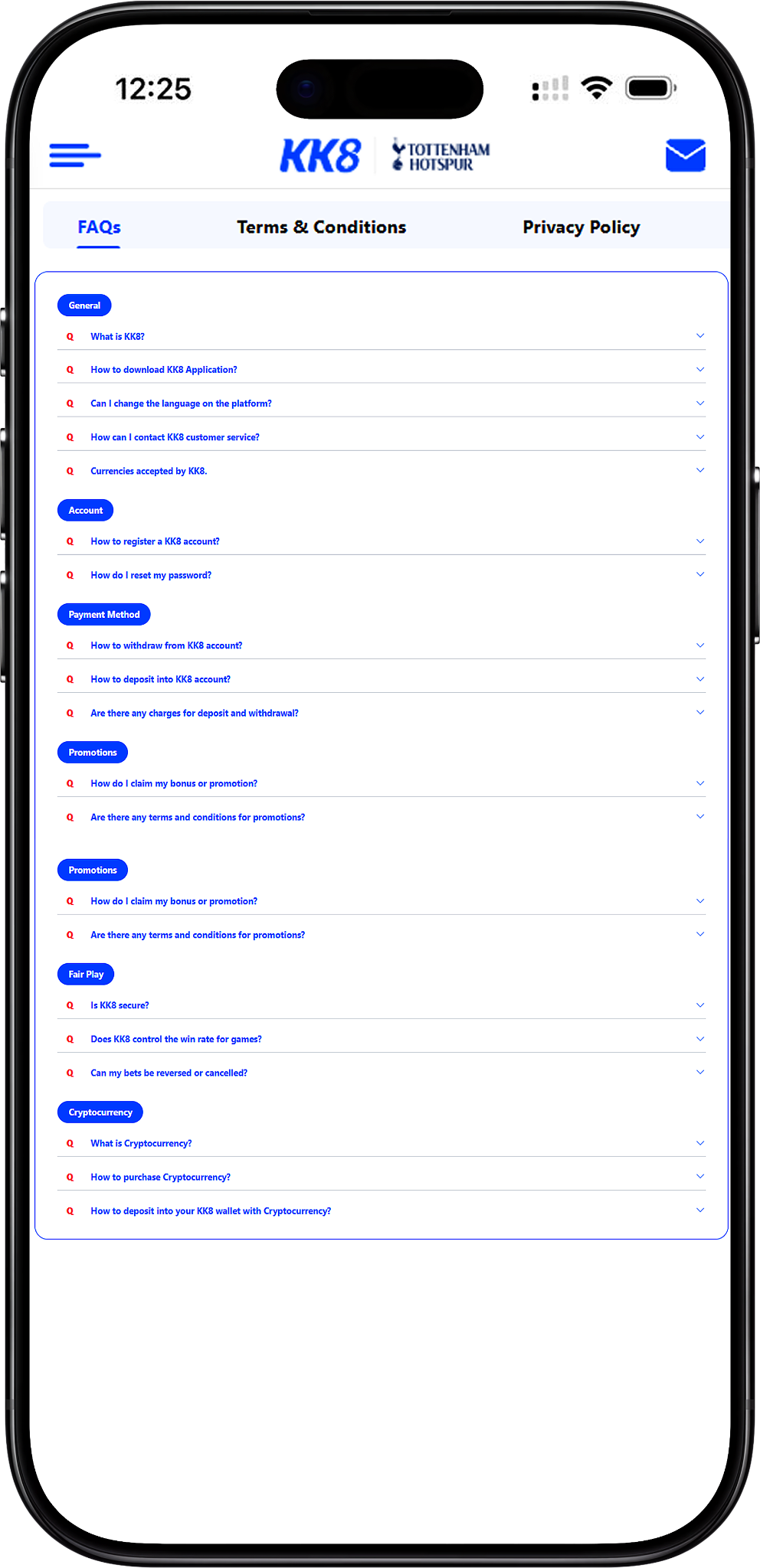
KK8 provides this FAQ page to help users quickly understand common topics involving the platform, account management, payments, promotions, fair play and cryptocurrency. Browse the sections below for practical answers, or use the relevant internal guides when more detailed instructions are required.
General
What is KK8?
KK8 is an online gaming platform offering access to gaming services, account features, promotions and payment options. Users should review the platform information, applicable rules and local requirements before using real-money services. Learn more through About Us, or visit the official website at https://kk8official.my.
How do I download the application?
For a safer installation process, obtain the mobile application through the platform’s official download channel rather than unknown third-party sources. Step 1: Visit the Download page (/en/download#download, Anchor Link) and select the appropriate version. Step 2: Download the app (/en/download#download-app, Anchor Link) to your device. Step 3: Install the app (/en/download#installation, Anchor Link) and follow the device prompts, including required installation permissions where applicable. Step 4: Open the application (/en/download#get-started, Anchor Link) after installation. See KK8 Download for the complete download information.
Can I change the language on the platform?
Yes. Open Profile from the platform navigation, locate the General settings and select Language. Choose an available language to apply your preference. Menu names or placement may vary slightly depending on the current application or web version.
How can I contact customer service?
Users can contact the customer support team through the official Live Chat channel available on the platform. For account security, use contact channels provided directly through official platform pages or applications rather than unverified third-party contacts.
Which currencies are accepted?
The supplied FAQ information lists Malaysian Ringgit (MYR) and Singapore Dollar (SGD) as supported currency options. Availability may depend on your account, region and selected transaction method, so confirm the displayed currency before submitting a payment.
Account
How do I register an account?
Step 1: Select Sign Up (/en/register#sign-up, Anchor Link) from the registration area. Step 2: Choose a registration method (/en/register#registration-method, Anchor Link), such as One-click, Phone or Email when available. Step 3: Enter the required information (/en/register#account-information, Anchor Link) accurately. Step 4: Review the applicable Terms and Conditions. Step 5: Complete verification (/en/register#verification, Anchor Link) when an OTP or other verification is requested. Step 6: Sign in (/en/login, Internal Link) after successful registration. For detailed guidance, read How To Register?.
What information should I provide when registering?
Depending on the registration method and verification requirements, users may be asked for account and contact information such as a name, email address, phone number, date of birth, username or password. Provide accurate and current information and follow the fields displayed during registration.
How do I reset or change my password?
If you still have account access, Step 1: Sign in (/en/login, Anchor Link), Step 2: Open Profile (/en/user-guide/how-to-change-password#profile, Anchor Link), Step 3: Select Change Password (/en/user-guide/how-to-change-password#change-password, Anchor Link), Step 4: Enter the requested password details (/en/user-guide/how-to-change-password#password-details, Anchor Link), and Step 5: Submit the change (/en/user-guide/how-to-change-password#submit, Anchor Link). See How To Change Password?. If you cannot access your account because you have forgotten the password, use Forget Password instead.
What if I forget my UID?
Use the account recovery guidance rather than creating another account solely because you cannot remember your UID. The Forget UID guide explains the relevant recovery process.
Payment Method
How do I withdraw from my account?
Step 1: Sign in to your account (/en/login, Anchor Link). Step 2: Open Withdrawal (/en/withdrawal#withdrawal-options, Anchor Link). Step 3: Select or add the required withdrawal account (/en/withdrawal#bank-account, Anchor Link). Step 4: Choose an available withdrawal method (/en/withdrawal#withdrawal-method, Anchor Link). Step 5: Enter the withdrawal amount (/en/withdrawal#withdrawal-amount, Anchor Link). Step 6: Review and submit the request (/en/withdrawal#submit, Anchor Link). Processing remains subject to account verification, available balance, turnover requirements and other applicable conditions. See How To Withdraw? for more guidance.
How do I add a new withdrawal account?
Users who need to register a bank account or another supported withdrawal account should follow How To Add New Withdrawal Account?. Make sure the account information is accurate and meets the applicable identity and payment requirements before submitting it.
How do I deposit into my account?
Step 1: Open Deposit (/en/deposit#deposit-channel, Anchor Link). Step 2: Select an available deposit channel (/en/deposit#deposit-channel, Anchor Link). Step 3: Choose the required bank or payment option (/en/deposit#select-bank, Anchor Link). Step 4: Enter an eligible deposit amount (/en/deposit#deposit-amount, Anchor Link). Step 5: Add a promo code or select an eligible promotion if desired (/en/deposit#promotion, Anchor Link). Step 6: Review the information and submit (/en/deposit#submit, Anchor Link). Available channels, limits and promotions can vary, so rely on the options shown in your account when making a transaction. See How To Top Up? for detailed instructions.
Which deposit methods are available for Malaysia?
The supplied FAQ materials identify Malaysia payment options including EZPAY, Touch ’n Go, FPX, local bank transfer and BTSE. Available methods can change or differ by account, so users should confirm the options displayed on the Deposit page before transferring funds. The guides for Ezpay, FPX and TnGO, E-Wallet and KK8 Pay provide additional payment guidance.
Which deposit methods are available for Singapore?
According to the supplied FAQ information, listed Singapore payment options include Acerpay, Safepay, Dgpay, Trustpay, GMPay, EasyPay and BTSE. Users should treat the payment methods currently displayed in their account as the applicable options because availability may change.
Are there charges for deposits and withdrawals?
According to the supplied FAQ information, the platform does not impose a member fee for deposits or withdrawals, but a selected bank, card provider, payment processor or blockchain network may impose its own transaction charges. Check the applicable provider fees and transaction information before confirming a payment.
How can I check my transaction status?
Users can review previous payment activity through the relevant history features. See Track Your Deposit History for deposits and Track Your Withdrawal History for withdrawal records and statuses.
Promotions
How do I claim a bonus or promotion?
Eligible offers may be selected during the deposit process or through the platform’s promotions area, depending on the particular campaign. Read the offer requirements before participating, including eligibility, minimum deposit, turnover, validity and game restrictions where applicable. Browse KK8 Promotions for available bonuses and promotional information.
Can I use a promo code?
When an offer requires a promotional code, enter the correct code in the relevant field and follow the campaign requirements. The Promo Code Redemption guide provides instructions for using eligible codes.
Are there terms and conditions for promotions?
Yes. Individual promotions may have specific eligibility requirements, deposit conditions, turnover requirements, validity periods, game restrictions and other rules. Users should read the terms attached to an offer before opting in. General platform provisions can also be reviewed under Terms and Conditions.
Are rebates the same as promotional bonuses?
Rebates and promotional bonuses can follow different calculation methods, eligibility requirements and claim rules. Users interested in rebate rates and eligible game categories should review KK8 Rebate rather than assuming that promotion terms apply to rebates.
Fair Play
Is the platform secure?
KK8 states that it uses platform and account security measures to support its online services. Users also play an important role in account security by protecting passwords, using official access channels and avoiding sharing authentication information. Review the Privacy Policy for information about personal data handling and protection practices.
Does the platform control game win rates?
The supplied FAQ states that Random Number Generators are used for random game outcomes. However, mechanics differ across products and providers, so users should review the rules, odds, payout information and provider details applicable to the specific game rather than assuming that every product operates identically.
Can my bets be reversed or cancelled?
Users should carefully check selections, stakes and other details before confirming a bet. Whether a wager can be voided, rejected or otherwise adjusted depends on the applicable betting rules and circumstances, including matters such as errors, event status or system issues. Review Terms and Conditions for the governing provisions rather than relying on an assumption that every submitted bet can or cannot be changed.
Cryptocurrency
What is cryptocurrency?
Cryptocurrency is a form of digital asset that can be transferred through blockchain-based networks. USDT is a stablecoin designed to track the value of the US dollar, although transaction availability, network conditions and associated fees can still vary. The platform materials identify USDT as a supported cryptocurrency option for applicable transactions.
How do I purchase cryptocurrency?
Cryptocurrency can generally be purchased through a suitable exchange or service provider. Step 1: Create an account with the selected provider (#crypto-register, Anchor Link). Step 2: Complete any required identity verification (#crypto-verification, Anchor Link). Step 3: Purchase the required cryptocurrency using an available payment method (#crypto-purchase, Anchor Link). Before purchasing, check the provider’s fees, supported networks and wallet withdrawal requirements.
How do I deposit USDT into my account?
Step 1: Open the cryptocurrency deposit option (/en/user-guide/usdt-deposit#crypto-deposit, Anchor Link). Step 2: Obtain the current deposit address or QR code (/en/user-guide/usdt-deposit#deposit-address, Anchor Link) through the instructed platform process. Step 3: Confirm the wallet and account requirements (/en/user-guide/usdt-deposit#wallet-requirements, Anchor Link). Step 4: Check the minimum deposit and applicable network details (/en/user-guide/usdt-deposit#minimum-deposit, Anchor Link). Step 5: Verify the address and network before sending (/en/user-guide/usdt-deposit#verify-address, Anchor Link). Blockchain transfers may be irreversible, so carefully confirm all transaction information before submission. See USDT Deposit for the complete instructions.
What should I know before making a cryptocurrency transfer?
The supplied information states that users should use the latest deposit address or QR code provided for the transaction and ensure the wallet information is correct. Minimum amounts, turnover conditions, gas fees and other requirements may apply. Always rely on the current transaction screen and applicable instructions because cryptocurrency addresses and conditions can change.
What should I do if a cryptocurrency deposit is pending?
The supplied FAQ recommends contacting Live Chat when a qualifying transaction remains pending beyond the stated processing period. Before contacting support, retain the transaction hash or other relevant transfer details so the transaction can be checked more efficiently.
Need More Help Using the Platform?
Find detailed instructions for registration, account recovery, deposits, withdrawals, payment methods, transaction histories and other platform features in the complete user guide.