

KK8 User Guide
KK8 provides step-by-step user guides covering essential account features, payments, transaction records, lottery functions, wallet tools, and bonuses. Whether you are setting up an account, managing your password, making a deposit, checking a transaction, or learning a platform feature, use this page to find the relevant guide.
Browse the sections below in order, or jump directly to Account Setup and Access Guides (#account-setup-and-access-guides) (Anchor Link), Payments and Withdrawal Guides (#payments-and-withdrawal-guides) (Anchor Link), Platform and Payment Method Guides (#platform-and-payment-method-guides) (Anchor Link), Transaction and Lottery Guides (#transaction-and-lottery-guides) (Anchor Link), or Wallet and Bonus Guides (#wallet-and-bonus-guides) (Anchor Link). You can also start from https://kk8official.my (Naked URL) when you need to access the main platform.
Table of Contents
- 1. How To Register?
- 2. Forget Password
- 3. Forget UID
- 4. How To Withdraw?
- 5. How To Top Up?
- 6. How To Change Password?
- 7. How To Add To Homescreen?
- 8. Navigating the Platform
- 9. Ezpay, FPX and TnGO
- 10. E-Wallet
- 11. Promo Code Redemption
- 12. KK8 Pay
- 13. How To Add New Withdrawal Account?
- 14. Track Your Withdrawal History
- 15. USDT Deposit
- 16. Track Your Deposit History
- 17. How To Buy Lottery
- 18. Track Your Game Transaction And Rebate History
- 19. How To Use Restore Button Correctly
- 20. Daily Check In Bonus
Account Setup and Access Guides
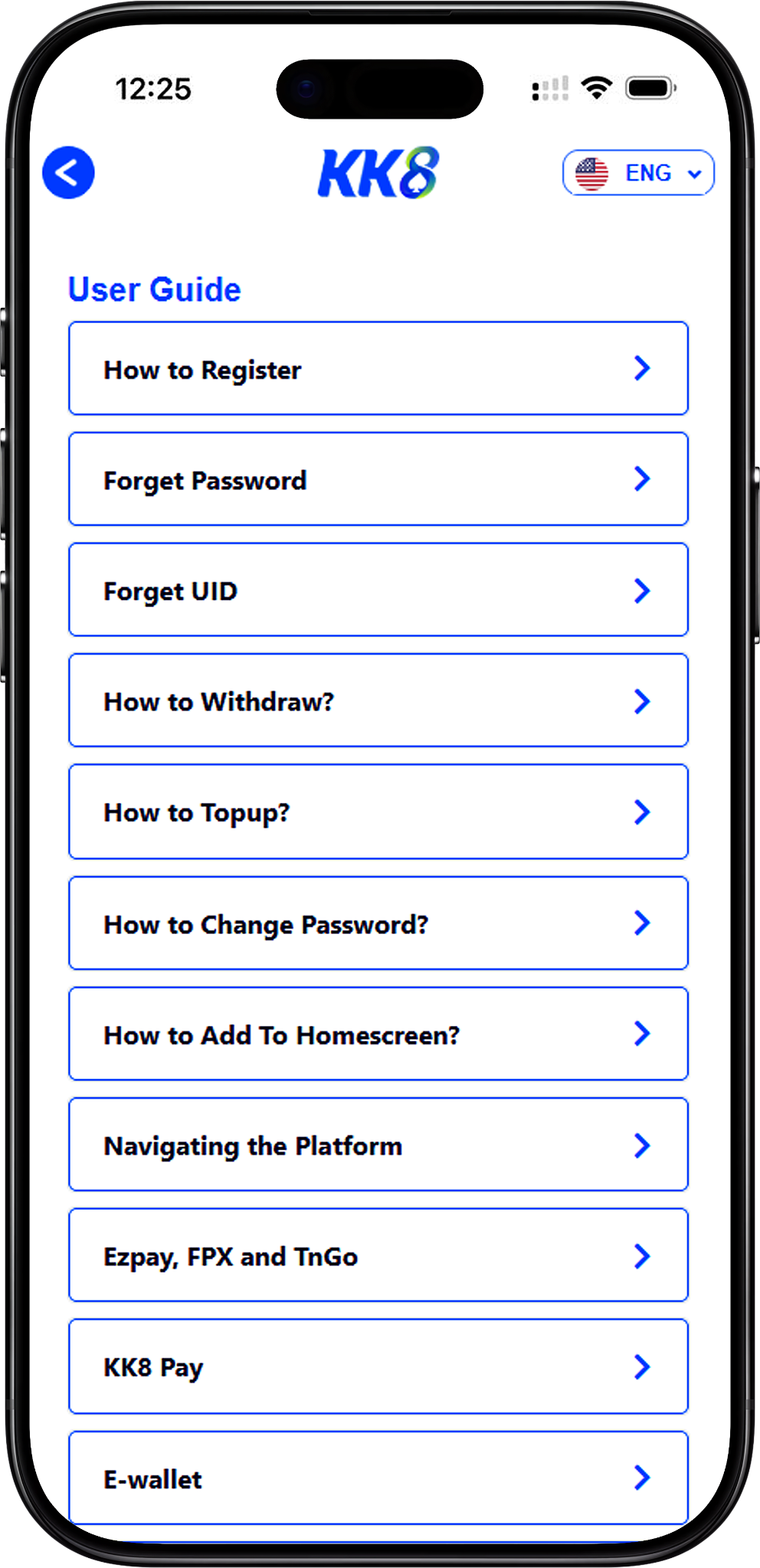
Start with these guides when creating an account, recovering account credentials, updating security information, or setting up convenient access from your device.
How To Register?
Create Your Account Step by Step
New users can follow the registration guide to understand the account creation process and the information required during sign-up. The guide provides a clear starting point before you begin using other account features.
Forget Password
Recover Access When You Forget Your Password
If you cannot remember your password, follow the password recovery guide instead of repeatedly attempting to sign in. It explains the account recovery process so you can regain access and continue managing your account.
Forget UID
Find or Recover Your UID
Your UID is an important account identifier. If you cannot remember it, use the dedicated UID guide to learn how to retrieve the information required to identify and access your account correctly.
Payments and Withdrawal Guides
These guides cover withdrawals, deposits, account security, and the payment details needed to manage everyday account transactions.
How To Withdraw?
Withdraw an Eligible Balance
The withdrawal guide explains how to open Withdraw, add a payment method, select Online Banking, enter your bank account number, submit the banking details, and confirm your request. The supplied instructions state a minimum withdrawal amount of RM100 and indicate that a withdrawal may be received within approximately 10 minutes.
How To Top Up?
Add Funds Through the Deposit Section
Follow the top-up guide to open Deposit, choose a deposit channel, enter your amount, select an applicable promotion, and submit the deposit. The supplied instructions indicate a minimum deposit amount of RM20.
How To Change Password?
Update Your Account Password
Account security starts with keeping your password under your control. This guide explains how to access the Change Password option, enter your old and new passwords, confirm the new password for accuracy, and submit the change.
How To Add To Homescreen?
Create Faster Browser Access
The homescreen guide provides a short process for creating convenient access from a supported device. Open your browser menu, select Add To Home Screen, and tap Add to complete the setup.
Platform and Payment Method Guides
Learn where key account features are located and how the available payment methods work before submitting a transaction.
Ezpay, FPX and TnGO
Understand Supported Online Deposit Channels
The payment guide covers EzPay, FPX, and Touch’n Go deposit flows. For EzPay or FPX, users select a preferred bank, enter an amount, confirm the payment details, provide the required UID information, sign in to the bank, and authorize payment. The Touch’n Go flow uses the applicable top-up amount and wallet authorization process.
E-Wallet
Top Up Through Touch’n Go
The E-Wallet guide focuses on the Touch’n Go top-up process. It covers opening Deposit, choosing the relevant deposit channel, entering the top-up amount, proceeding to payment, entering the required PIN, and confirming a successful E-Wallet top-up.
Promo Code Redemption
Redeem a Code from Your Account
If you have received an eligible promotional code, use the redemption guide to find the Code Redemption option from your account, enter the provided code accurately, and check for successful redemption.
KK8 Pay
Complete an Online Banking Top Up
KK8 Pay provides another deposit flow covered by the user guides. Select KK8Pay from the deposit channels, choose your preferred bank, enter the amount, confirm the bank and payment information, enter your UID where requested, and authorize the transaction through your bank.
How To Add New Withdrawal Account?
Add a Bank Account for Withdrawals
Before withdrawing to a new bank account, follow this guide to open Withdraw, select Add New Payment Method, choose your preferred bank, enter the account number, and submit the information. Always review the banking details for accuracy before submission.
Transaction and Lottery Guides
Use these guides when reviewing financial records, depositing with USDT, checking account activity, placing lottery selections, or examining game and rebate transactions.
Track Your Withdrawal History
Review Previous Withdrawal Records
The withdrawal history guide explains how to open History, select Withdrawal as the transaction type, enter relevant start and end dates, and filter records by statuses such as pending, approved, or rejected.
USDT Deposit
Deposit Using USDT on the TRC-20 Network
The crypto deposit guide covers selecting Crypto from the deposit channels, choosing USDT with TRC-20 as the network protocol, entering an amount, and submitting the request. The generated QR code or wallet address is stated to be for one-time use only, so do not save or reuse it for another transaction.
Track Your Deposit History
Find and Filter Deposit Records
Use the deposit history guide to open History, select Deposit, set the relevant start and end dates, choose an applicable transaction status, and review the resulting deposit records.
How To Buy Lottery
Learn the EKOR Lottery Betting Process
The lottery guide explains how to enter EKOR, launch the game, use Bet 1 or Bet 2, review receipts, results, and daily odds, and select supported platforms such as MAGNUM, TOTO, DAMACAI, SABAH, SANDAKAN, CASH SWEEP, and SINGAPORE POOLS. It also explains Big, Small, and Single selections, multiple-number betting, and sold-out number indicators.
Track Your Game Transaction And Rebate History
Review Game Activity and Rebate Records
For game transactions, open History, select Game Transaction, define the relevant date and time range, and select a game provider. For rebates, choose Rebate as the transaction type and set the applicable date range to review the available rebate history.
Wallet and Bonus Guides
These guides explain how eligible bonus balances interact with the Main Wallet and how Daily Check In Bonus eligibility is determined from the applicable turnover conditions.
Daily Check In Bonus
Check Turnover and Claim an Eligible Daily Reward
The Daily Check In Bonus guide explains how to review the relevant history information, check daily main wallet turnover, and claim an available reward after the displayed requirement is met. It also covers restrictions for specific games and the importance of using a bonus before its stated expiry period.
Find the Right Guide for Your Next Task
Use the guide that matches the action you want to complete rather than relying on a general process, because payment methods, wallet features, bonuses, and transaction records can have different requirements. For broader account information, you can also review FAQs (/en/faqs) (Internal Link), browse Promotions (/en/promotions) (Internal Link) for offer information, or visit Games (/en/games) (Internal Link) to explore available game categories.
Get Started with the KK8 User Guides
Choose the guide that matches your task and follow its instructions for account access, deposits, withdrawals, payments, transaction history, lottery features, wallet tools, and daily bonuses.